Your notes are files.
Your vault is a system.
Skald is a local-first Markdown knowledge base for writing, planning and connecting work. This guide explains the whole app visually, from opening a vault to semantic documents, note themes, tasks, graph navigation and encrypted sync.
A folder you own is the database.
A Skald vault is an ordinary folder. Notes remain .md files, attachments stay portable, themes live beside your writing, and disposable application state goes in .skald/.
My Vault/
├── Projects/
│   └── Skald.md
├── People/
├── Sources/
├── themes/
│   └── field-journal.css
├── images/
└── .skald/     ← app state
The portability rule
Delete .skald/ and your writing is still there. Skald can enrich Markdown, but the canonical content remains understandable and recoverable without Skald.
Rendered Markdown that stays editable.
Live mode renders ordinary blocks while you work. Click a block to edit it inline. Source mode exposes the complete Markdown when punctuation actually matters.
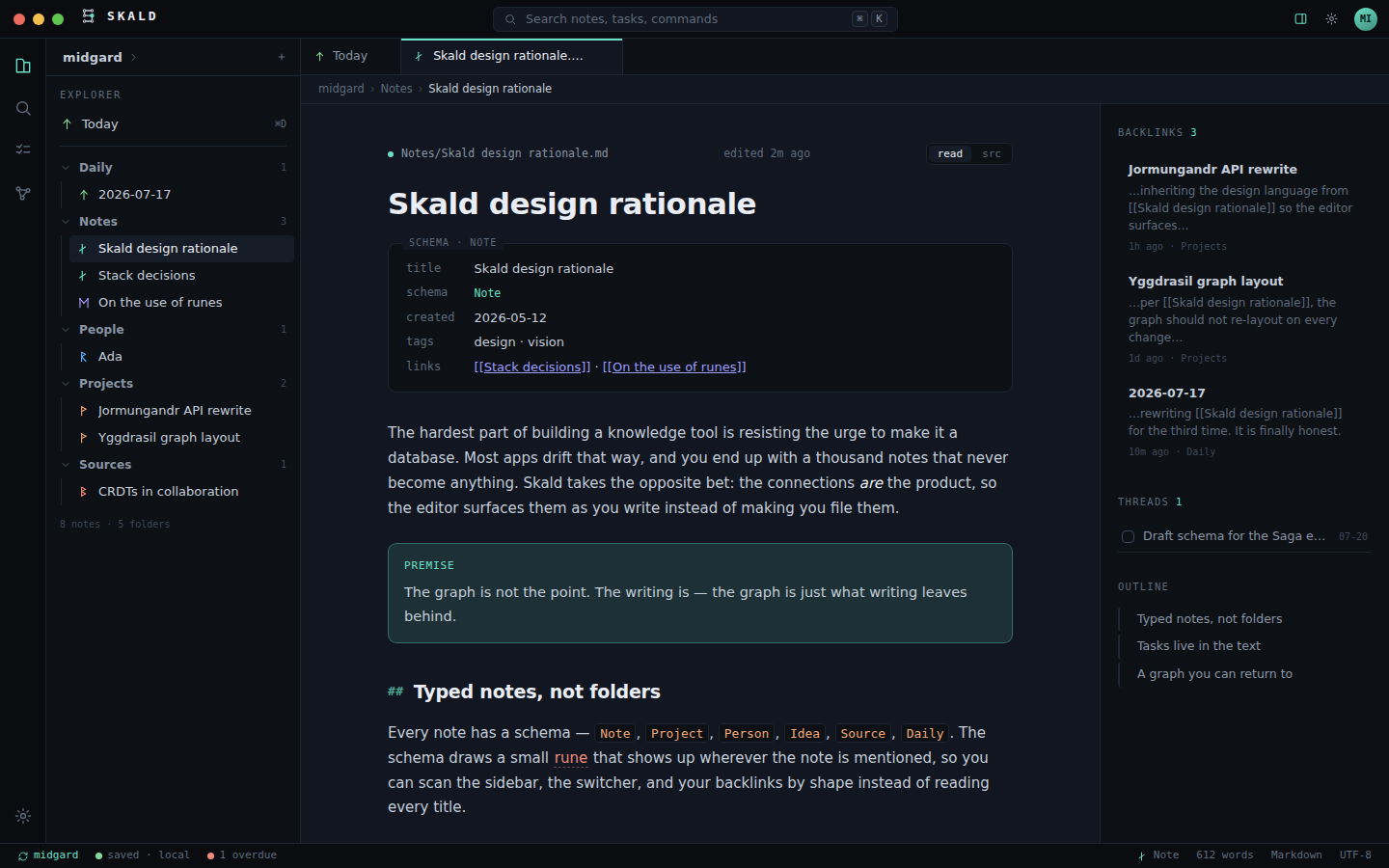
Live mode
Headings, lists, tasks, links, images, callouts and richer structures render in place while individual blocks remain editable.
Source mode · ⌘E
Nothing is hidden forever. Toggle to the actual Markdown file and edit the source directly.
Notes can know what kind of thing they describe.
Use typed notes for Projects, People, Daily notes, Ideas, Sources, Code and Places. A type can come from frontmatter or be inferred from its folder.
---
type: Project
style: field-journal
---

# Skald

A project note is still Markdown. The metadata gives Skald context.
Type
Controls semantic identity and can provide schema defaults.
Template
Each schema can have a body template using {{title}} and {{date}}.
Theme
Schema-level note styling can apply when a note does not choose its own style.
Link ideas without turning your vault into a database export.
[[Note]], [[Folder/Note]] and qualified Markdown links resolve across the vault. The margin shows backlinks and renames rewrite links that point to the note.
Wikilinks
Use short links for unique names and folder-qualified links when two notes share a filename.
Backlinks
See where the current note is referenced, with useful snippets, without leaving the editor.
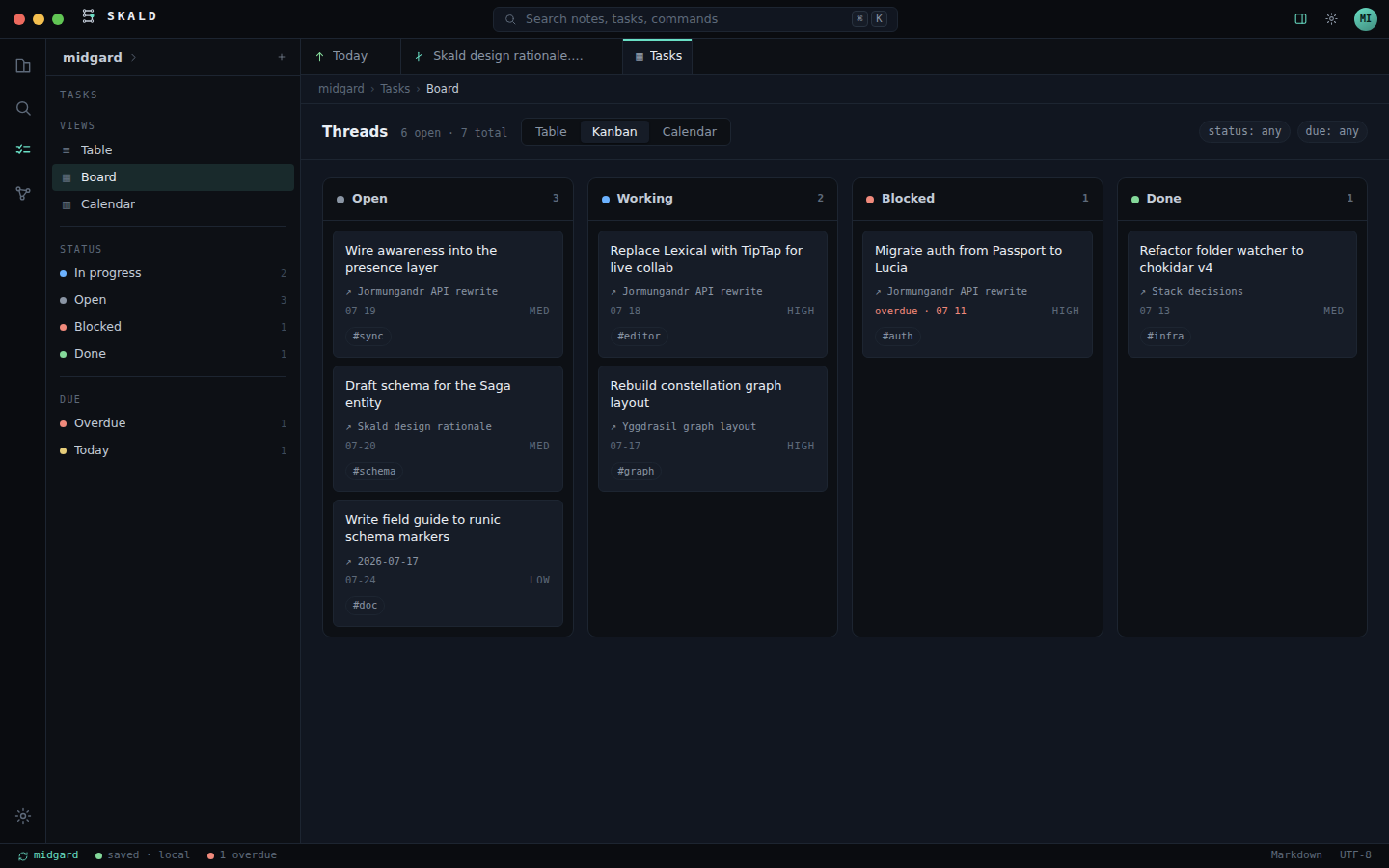
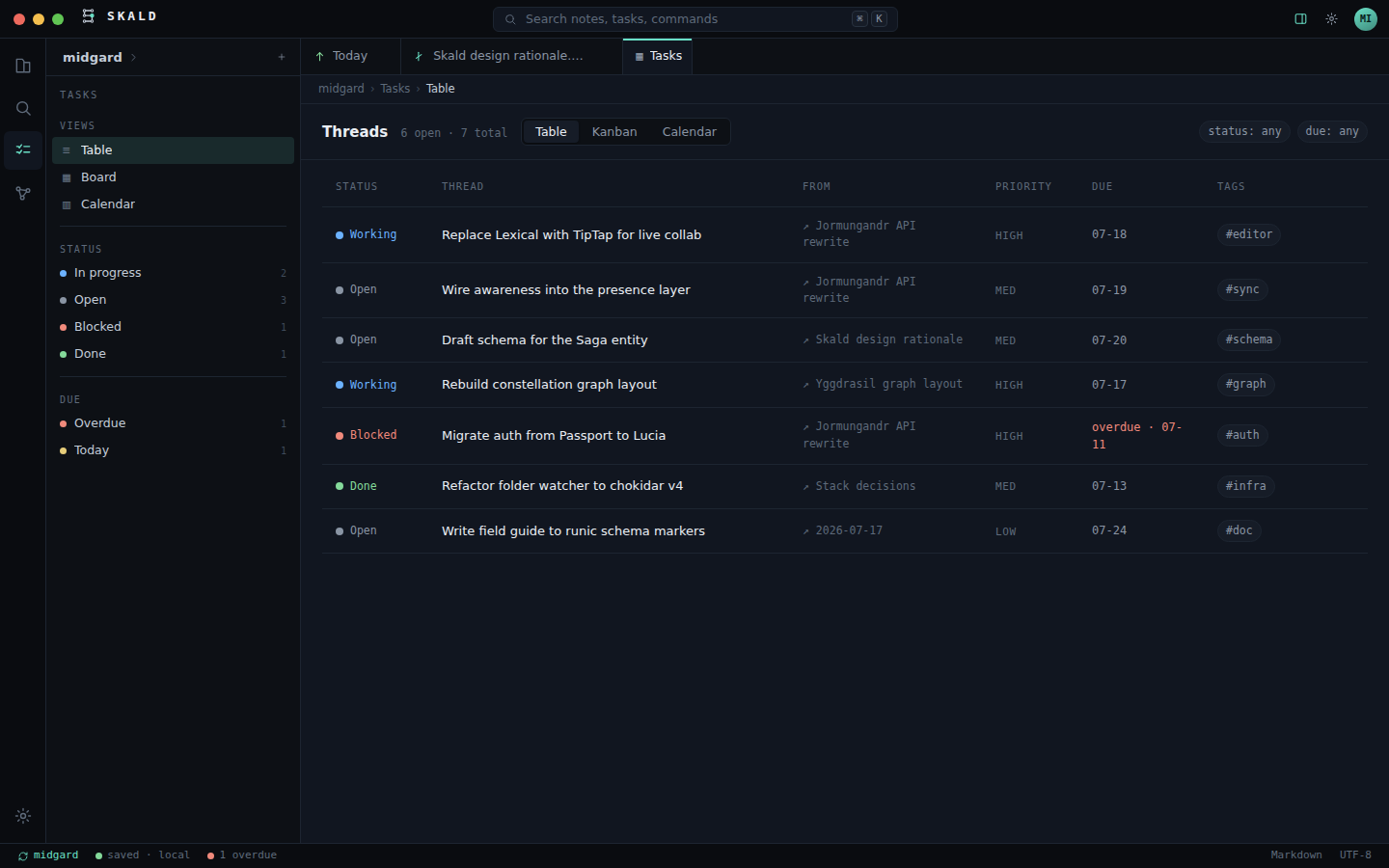
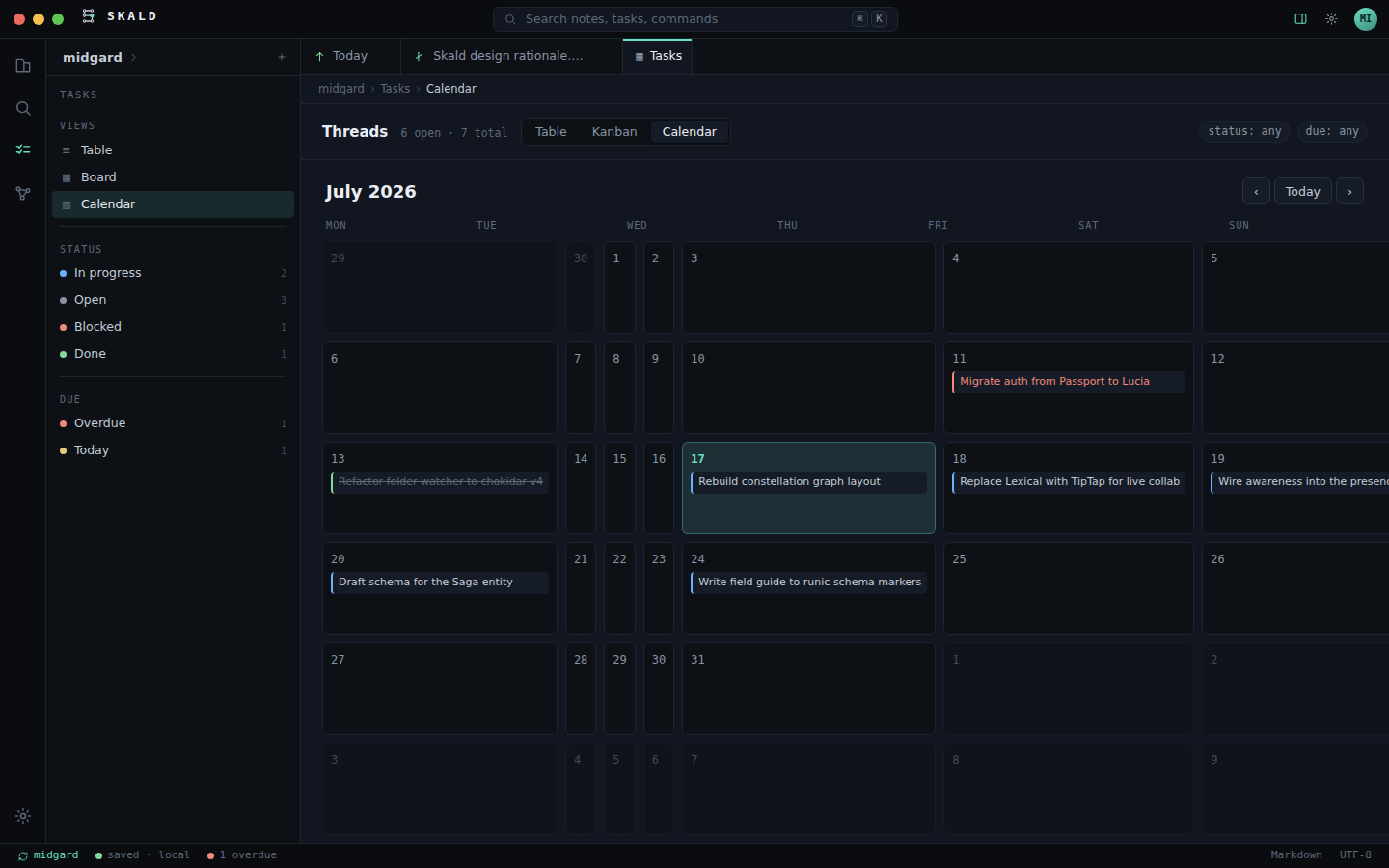
A checkbox can become work everywhere.
Tasks are written directly in Markdown and collected globally into Table, Kanban and Calendar views. Editing either side rewrites the same source task.
- [ ] Prepare Skald release @due(2026-08-20) @p(high) @status(working) #release
Search the vault, or jump through the Hall.
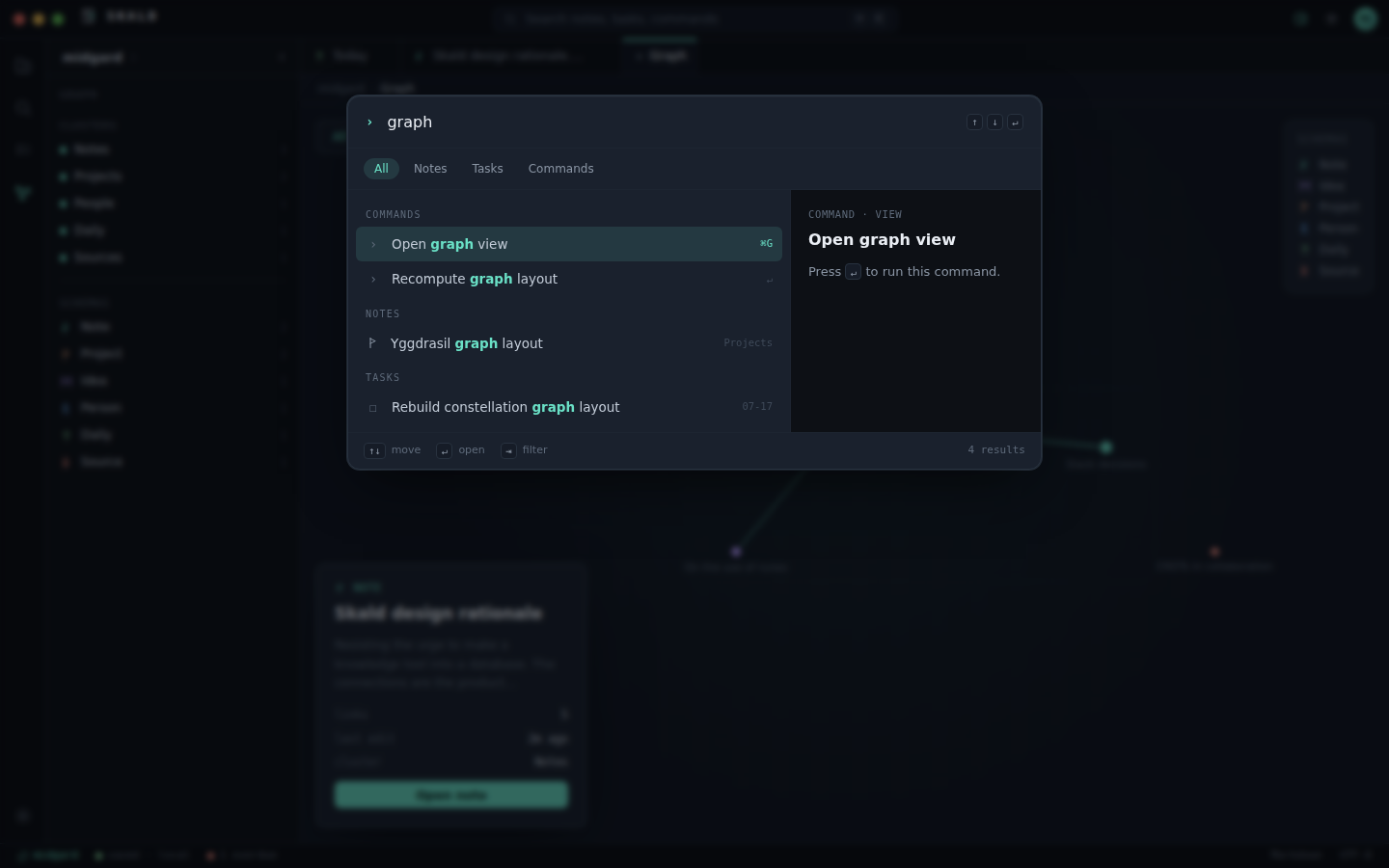
⌘K opens Skald's Hall for fuzzy access to notes, tasks and commands. Full search indexes complete note bodies and supports filters such as schema:, tag: and folder:.
A map that stays where you left it.
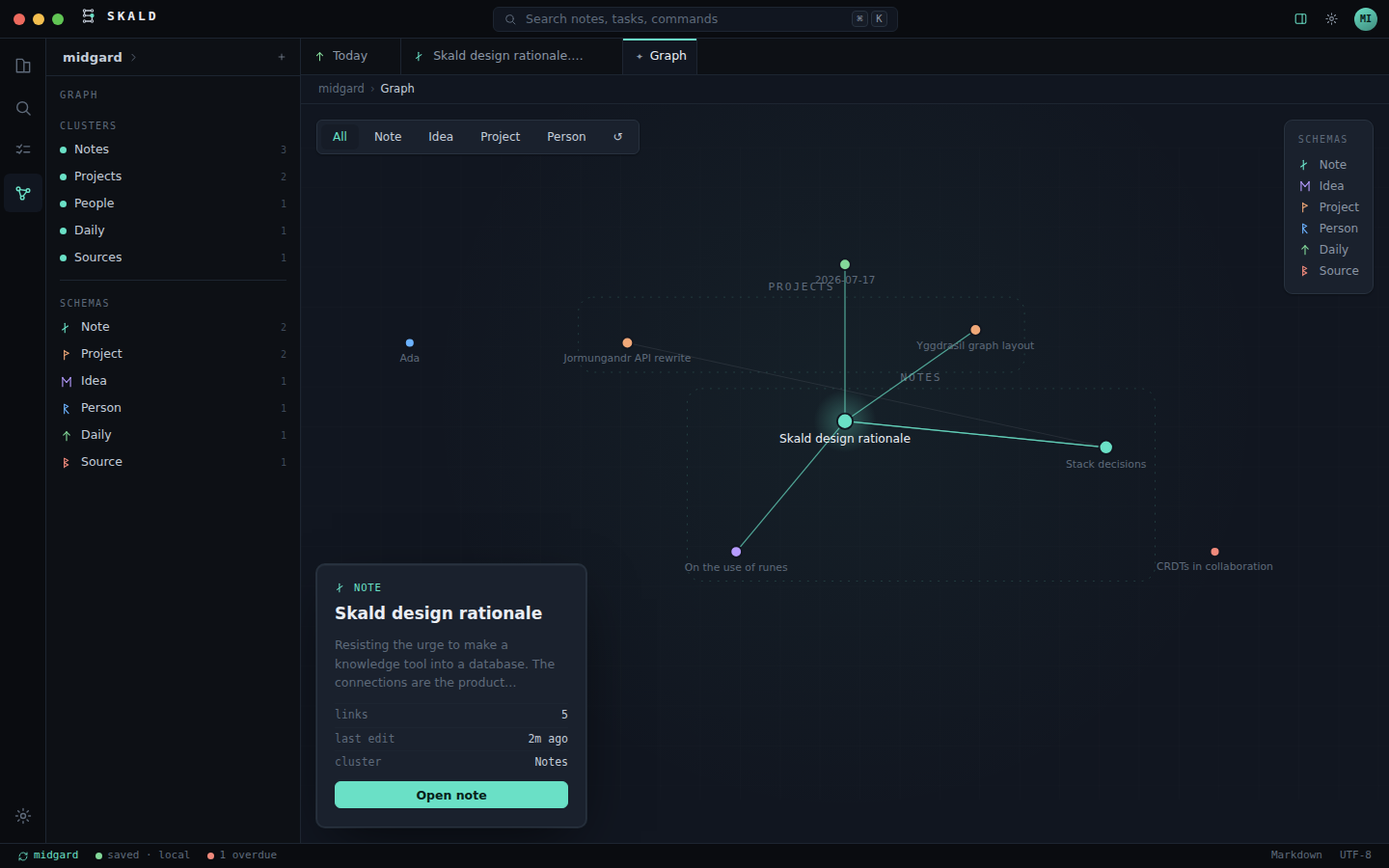
The graph is deliberately stable. Notes are stars, folders gather into named regions, positions persist, and you can drag the map into a spatial arrangement that becomes familiar.
Rich composition without abandoning Markdown.
Semantic containers group real Markdown blocks by meaning. In v1: aside, gallery and group. The theme decides their visual composition.
:::aside
## Historical context

This matters because...

- First point
- Second point
:::
Historical context
This matters because...
• First point
• Second point
Use ⌘I to insert a container, or select existing blocks and wrap them. Children remain normal editable Markdown blocks. V1 deliberately does not nest containers.
Open the visual semantic-documents deep dive →Same Markdown. Completely different document.
Note themes are user-authored CSS stored in Vault/themes/. They can apply to one note, a schema, or the whole vault. Themes style a stable public .sk-* contract and --note-* tokens instead of relying on Skald's private DOM.
/* themes/field-journal.css */
.sk-note {
  --skald-theme: 1;
  --note-font-body: Georgia, serif;
  --note-measure: 68ch;
  --note-accent: #61745d;
}

.sk-container--aside {
  border: 1px solid currentColor;
  transform: rotate(-.2deg);
}
Observations from the ridge
The note content did not change. Only its presentation did.
The semantic aside can become an annotation because the theme understands what it means.
style:→schema default→vault default→built-in surfaceFiles remain files. Diagrams remain text.
Attachments
Pick, drop or paste files. Skald copies them into the vault with collision-safe names and portable relative Markdown links. Images render inline.
Mermaid
Standard mermaid fences render locally with Skald-aware colors, zoom/pan, syntax feedback and SVG/PNG export. Outside Skald, the source remains an ordinary code fence.
Put repository context inside project notes.
Bind a note using github: owner/repo, then insert a GitHub component for repository, issue, pull request, release and workflow context. Public repositories need no account; private access uses optional GitHub login.
---
type: Project
github: vardirhq/skald
---

> [!github]
Autosave without pretending mistakes never happen.
Skald snapshots notes before edits, external changes, renames, deletions and restores. Earlier versions can be previewed and restored, and deleted notes can be recovered from Recently deleted.
Local history
History belongs to local app state, leaving the Markdown itself clean.
Explorer state
Move and rename notes or folders while qualified wikilinks, histories, graph positions, pinned notes and open tabs follow them.
The relay doesn't get to read your notes.
Skald syncs through GESH. Notes and attachments are encrypted with AES-256-GCM before leaving the device. The content key never reaches the relay and pairing transfers it through the QR fragment.
Open the visual encrypted-sync guide → Technical reference →
Richer features without teaching the Markdown parser every trick forever.
Built-in extensions can register versioned Markdown components, fenced-code renderers, note properties, editor actions, settings panes, capabilities and protected main-process providers. Unknown components retain readable fallbacks.
Current examples
GitHub cards and Mermaid demonstrate two different extension surfaces.
Design rule
Extensions should enrich portable source, not make the note unreadable when an extension disappears.
The shortcuts worth learning.
| Key | Action |
|---|---|
| ⌘K / ⌘P | Skald's Hall / command palette |
| ⌘I | Insert Markdown, semantic structure or extension component |
| ⌘D | Today's Logbook |
| ⌘N | New note |
| ⌘E | Toggle live / source view |
| ⌘B | Toggle right panel |
| ⌘G | Constellation |
| ⌘S | Save now; autosave remains on |
| + / − / 0 | Graph zoom in / out / fit |
Skald should add capability, not captivity.
Typed notes, tasks, backlinks, themes, semantic containers, diagrams and integrations all build on the same principle: the application can understand more than Markdown alone without replacing your files with an opaque application database.